
How to Use the Text Tool in Supacolor's Gang Sheet Builder
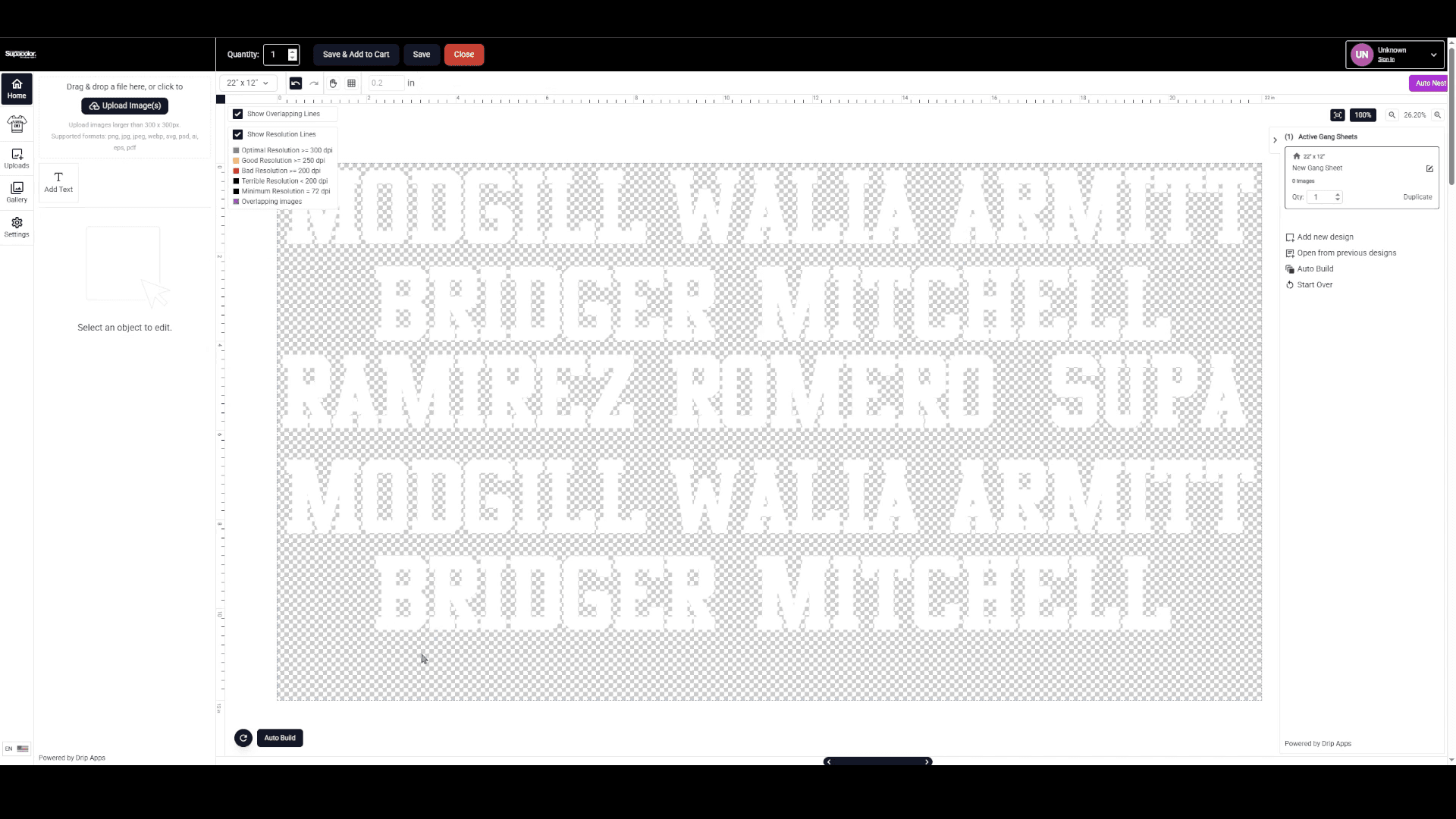
Personalizing an order — whether it's player names, jersey numbers, or custom labels — used to mean creating a separate art file for every variation. With the Text Tool in Supacolor's Gang Sheet Builder, you can add and duplicate text directly on your gang sheet, keeping all the formatting consistent while changing only what needs to change.
Here's how it works:
STEP 1: CLICK "ADD TEXT"
In the Gang Sheet Builder, click the "Add Text" button on the left panel.

This will add a new text layer directly onto your gang sheet.

STEP 2: CUSTOMIZE YOUR TEXT OPTIONS
With the text layer selected, use the options panel to set your preferences:
- Font — choose from available typefaces
- Text color — select the fill color for your lettering
- Stroke color — add an outline color if needed
- Text size and dimensions — set the size to match your layout

Set these options before you start adding names or numbers — this saves time since every duplicate will carry the same formatting.

STEP 3: EDIT YOUR TEXT
Double-click on the text layer on the gang sheet to enter edit mode and type in your custom text.

For this example, we'll be adding player names for a personalization run.

STEP 4: DUPLICATE THE TEXT LAYER
Once your first name or number is entered and styled the way you want it, click "Duplicate Image" to create an exact copy of that text layer — same font, same color, same size.

Then double-click the duplicate to edit it with the next name or number.

STEP 5: REPEAT FOR ALL NAMES OR NUMBERS
Continue duplicating and editing for every name or number in your order. Since each duplicate starts from the same base formatting, your entire run will stay consistent without any additional setup.

That's it. The Text Tool is especially useful for team orders, name drops, and any run where you need consistent styling across multiple variations.
Instead of managing a folder of individual files, everything lives in one organized gang sheet.
Ready to give it a try?
Wholesale Business Accounts: Click here to log in to your Supacolor wholesale account.
Personal Accounts: Click here to shop all gang sheets in our online store open to the public.
Have questions about personalizing your order? Our team is happy to help. Email [email protected] or reach us at 844-973-2862.