
How to Use the Design Upscaler Tool in Supacolor's Gang Sheet Builder
A common issue when building gang sheets: you have a design that looks fine at a small size, but the moment you scale it up to print size, the resolution breaks down. Blurry edges, pixelated fills, and lost detail are the result — and that's before it ever hits a garment.
The Design Upscaler Tool in Supacolor's Gang Sheet Builder solves this automatically. It digitally re-renders your design to be printed at any size without loss in quality — no need to go back to a designer or hunt down the original source file.
WHY UPSCALING MATTERS
If you increase the size of a low-resolution image without upscaling it first, you'll see bad resolution warnings in the builder — and if you ignore them and submit anyway, the print will reflect that. Quality degrades proportionally with how far you've stretched the file beyond its original resolution.
The Upscaler eliminates that problem before it reaches print.\
Here's how it works:
STEP 1: ADD YOUR DESIGN TO THE GANG SHEET
Upload your small or low-resolution design and place it onto the gang sheet.

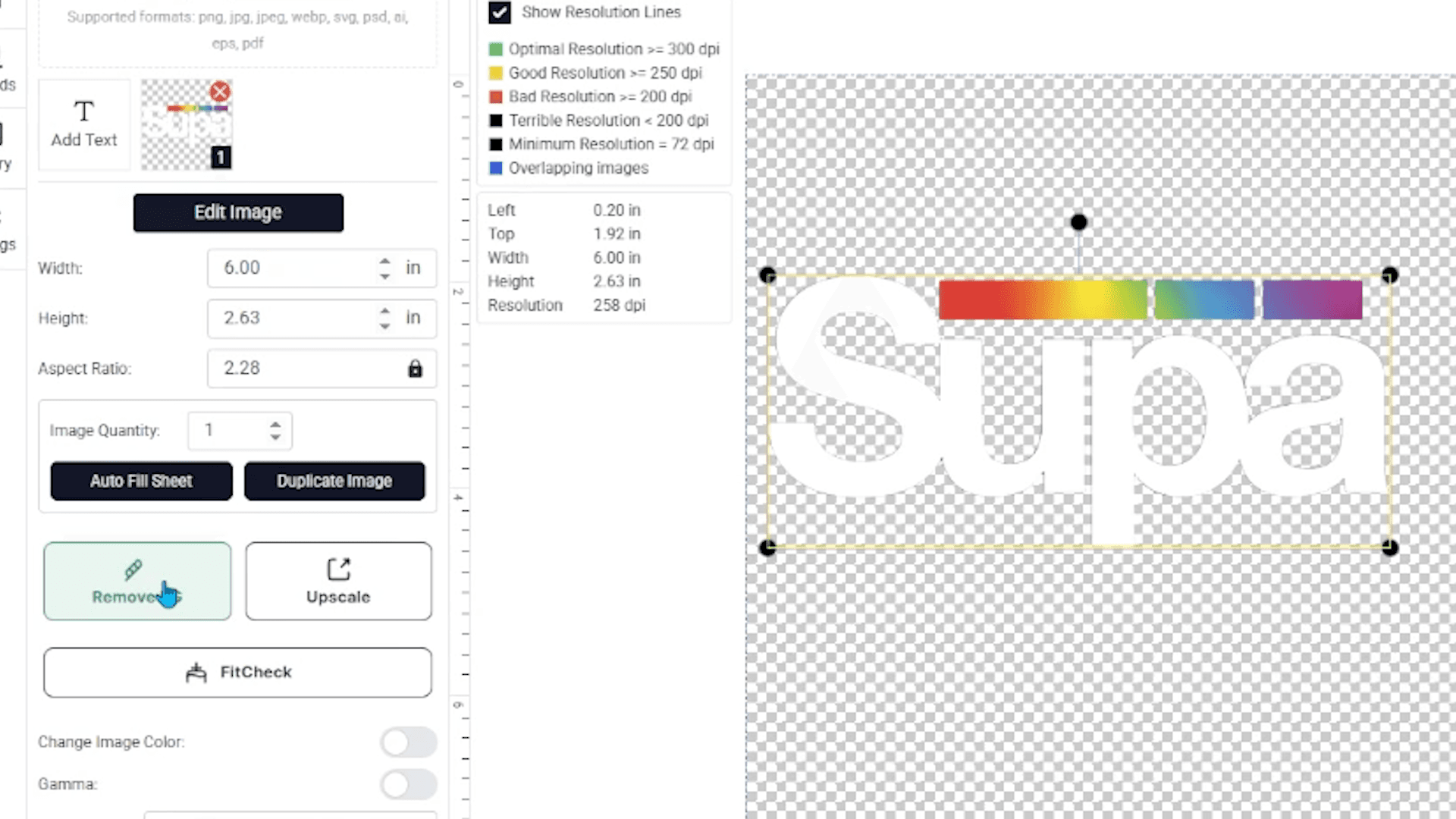
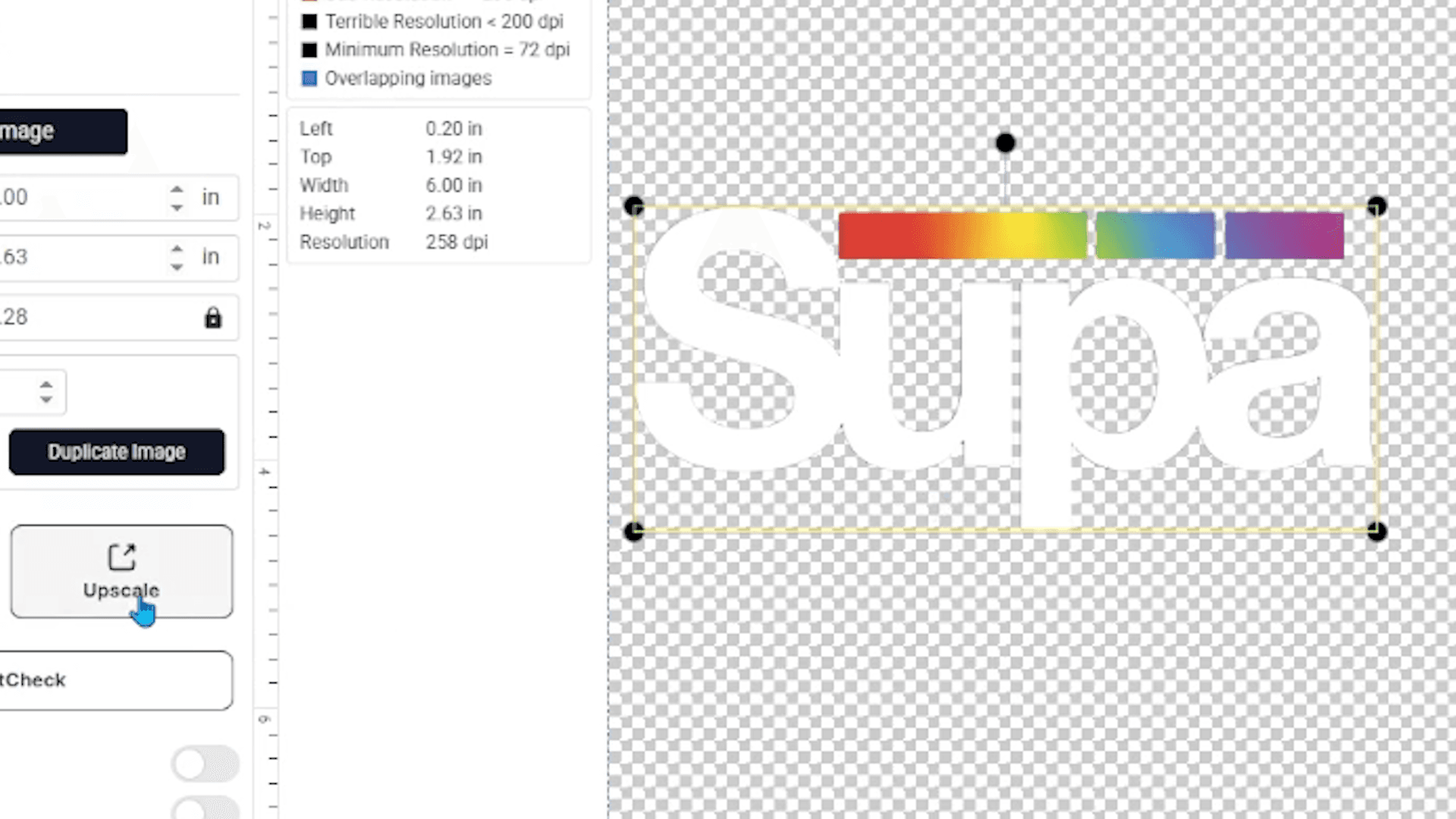
STEP 2: SELECT THE IMAGE AND CLICK "UPSCALE"
With the image selected, click the "Upscale" option in the left panel.

STEP 3: DONE
The tool automatically processes your design and re-renders it at a higher resolution. You can now scale it to any print size without triggering resolution warnings or losing quality in the output.

WHEN TO USE IT
Use the Upscaler any time you:
→ Upload a design that triggers a resolution warning in the builder
→ Need to print a design larger than its original file size supports
→ Are working with older artwork files or designs pulled from the web
It's a fast fix that protects the quality of your final print.
Ready to give it a try?
Wholesale Business Accounts: Click here to log in to your Supacolor wholesale account.
Personal Accounts: Click here to shop all gang sheets in our online store open to the public.
Have additional questions about preparing your gang sheet? Our team is always happy to help. Email [email protected] or reach us at 844-973-2862.